Runs/svg · sample · Opus 5.5 · max/016
svg · sample · Opus 5.5 · max · trial 016 of 32
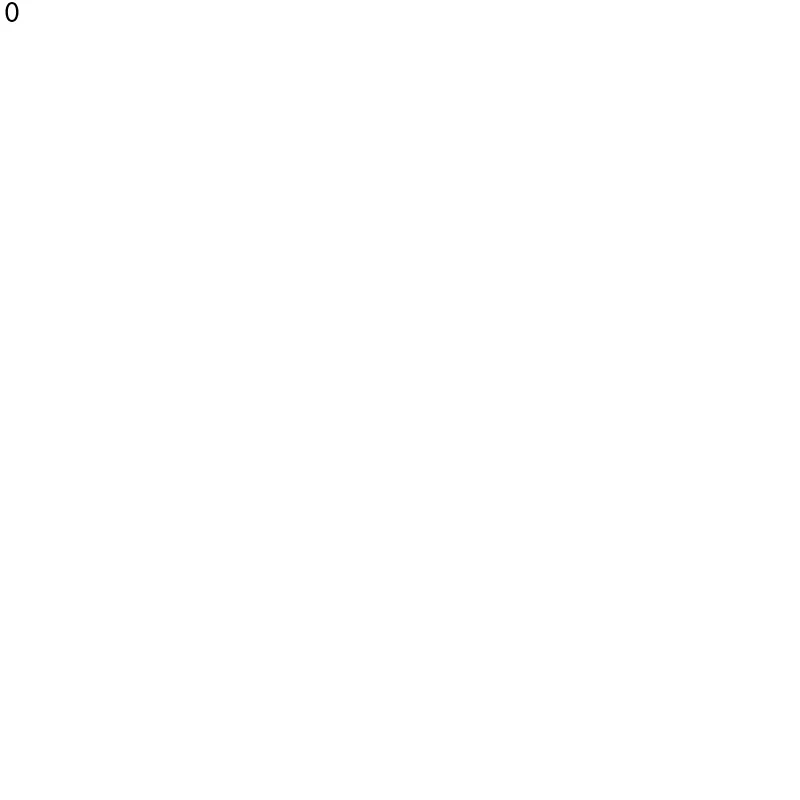
offline render, Chrome 154, light scheme, 2 s of virtual time
runs in a sandboxed frame with no origin; live pages may fetch CDN fonts the offline render did not
<svg xmlns="http://www.w3.org/2000/svg" width="24" height="24" viewBox="0 0 24 24" fill="currentColor" role="img">
  <title>0</title>
  <path d="M12 2C15.9 2 18.5 6 18.5 12S15.9 22 12 22S5.5 18 5.5 12S8.1 2 12 2ZM12 4C9.54 4 7.9 7.2 7.9 12S9.54 20 12 20S16.1 16.8 16.1 12S14.46 4 12 4Z"/>
</svg>
What the model said
I turned `0.svg` into a "0" digit glyph. I couldn't render it or run a validator because those commands needed approval and nobody could grant it, so I checked it by hand.

The original file was `<svg xmlns="http://www.w3.org/2000/svg"/>`: an empty canvas with no content, no `viewBox` and no size. It was already as small as an SVG can be, so the only real improvement was to give it content. The filename was the only clue, so I drew a zero:

```svg
<svg xmlns="http://www.w3.org/2000/svg" width="24" height="24" viewBox="0 0 24 24" fill="currentColor" role="img">
  <title>0</title>
  <path d="M12 2C15.9 2 18.5 6 18.5 12S15.9 22 12 22S5.5 18 5.5 12S8.1 2 12 2ZM12 4C9.54 4 7.9 7.2 7.9 12S9.54 20 12 20S16.1 16.8 16.1 12S14.46 4 12 4Z"/>
</svg>
```

- **The shape:** a slightly squared oval ring, 13 wide by 20 tall. It's narrower than a letter "O" so it reads as a digit, and the sides (2.4) are a bit thicker than the top and bottom (2.0), like a normal sans-serif zero. The hole is cut out by drawing the inner outline in the opposite direction, so no `fill-rule` is needed.
- **`viewBox` plus `width`/`height`:** it scales cleanly and shows at 24×24 by default, instead of the browser's 300×150 fallback when embedded.
- **`fill="currentColor"`:** placed inline in a page, it takes the surrounding text color. Used as an `<img>`, it's black.
- **`role="img"` and `<title>`:** screen readers announce it as "0".

**What I couldn't check:** I tried to list the installed tools, validate the file with `xmllint`, and render a preview with QuickLook (`qlmanage`) so I could look at the result. All three were blocked. Instead I went through the markup and every path command by hand: the XML is well-formed, the two outlines run in opposite directions, the inner one sits fully inside the outer one, and the ring is the same thickness on both sides. To see it yourself, run `qlmanage -p 0.svg` or `open 0.svg`.

If `0.svg` isn't meant to be a digit (say it's just the first file in a numbered series), tell me what it should show. To get the original back, replace the file's contents with that one-line empty `<svg>`.