Runs/circle · chain · relay/053
circle · chain · relay · step 053 of 64
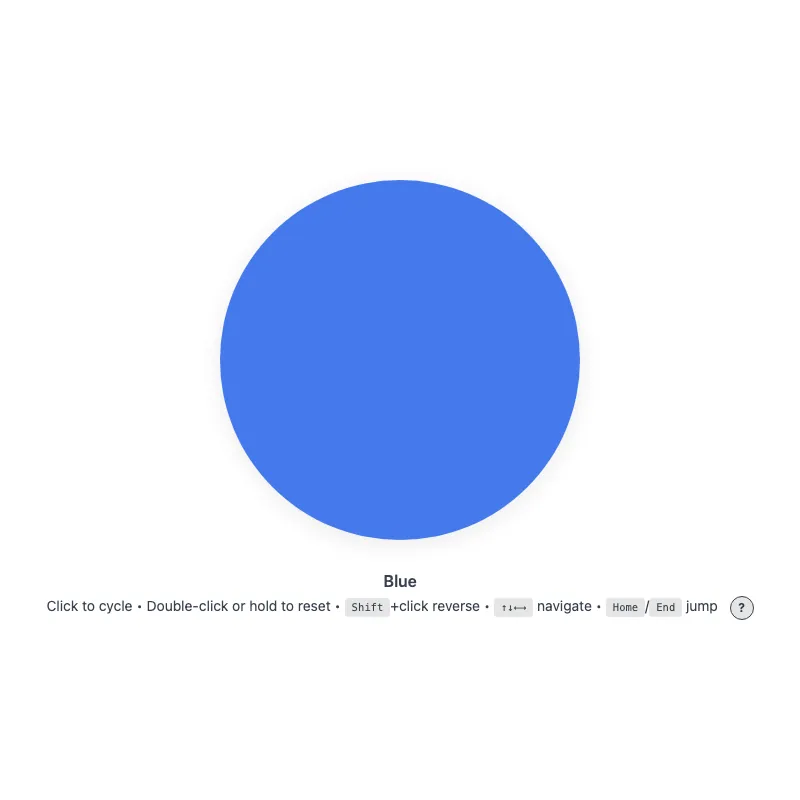
offline render, Chrome 154, light scheme, 2 s of virtual time
runs in a sandboxed frame with no origin; live pages may fetch CDN fonts the offline render did not
<!DOCTYPE html>
<html lang="en">
<head>
  <meta charset="UTF-8">
  <meta name="viewport" content="width=device-width, initial-scale=1.0">
  <meta name="color-scheme" content="light dark">
  <title>Animated Circle - Interactive Demo</title>
  <meta name="description" content="A responsive, accessible circle that changes color when clicked">
  <meta name="theme-color" content="#ffffff" media="(prefers-color-scheme: light)">
  <meta name="theme-color" content="#111111" media="(prefers-color-scheme: dark)">
  <link rel="icon" href="data:,">
  <style>
    *,
    *::before,
    *::after {
      box-sizing: border-box;
      margin: 0;
      padding: 0;
    }
    :root {
      color-scheme: light dark;
      --bg: #fff;
      --text: #374151;
      --fg: #2563eb;
      --shadow: rgba(0, 0, 0, 0.1);
      --kbd-bg: rgba(0, 0, 0, 0.1);
      --drop: drop-shadow(0 4px 12px var(--shadow));
    }
    [data-color="red"] { --fg: #dc2626; }
    /* Dark enough to keep 3:1 against --bg at the resting 0.85 opacity */
    [data-color="green"] { --fg: #15803d; }
    [data-color="amber"] { --fg: #b45309; }
    [data-color="violet"] { --fg: #7c3aed; }
    [data-color="cyan"] { --fg: #0e7490; }
    @media (prefers-color-scheme: dark) {
      :root {
        --bg: #111;
        --text: #d1d5db;
        --fg: #93c5fd;
        --shadow: rgba(0, 0, 0, 0.6);
        --kbd-bg: rgba(255, 255, 255, 0.15);
      }
      [data-color="red"] { --fg: #fca5a5; }
      [data-color="green"] { --fg: #86efac; }
      [data-color="amber"] { --fg: #fcd34d; }
      [data-color="violet"] { --fg: #c4b5fd; }
      [data-color="cyan"] { --fg: #67e8f9; }
    }
    @media (prefers-contrast: more) {
      :root {
        --shadow: rgba(0, 0, 0, 0.9);
        --drop: drop-shadow(0 2px 8px var(--shadow));
      }
      .circle svg {
        opacity: 1;
      }
    }
    @media (forced-colors: active) {
      /* The color is the content here, so keep it; the stroke guarantees the shape */
      .circle svg {
        forced-color-adjust: none;
        color: var(--fg);
      }
      svg circle {
        stroke: CanvasText;
        stroke-width: 2;
      }
    }
    body {
      min-height: 100vh;
      min-height: 100dvh;
      display: grid;
      place-items: center;
      padding: 1rem;
      background: var(--bg);
      color: var(--text);
      font-family: system-ui, -apple-system, sans-serif;
    }
    main {
      width: 100%;
      display: flex;
      flex-direction: column;
      align-items: center;
      text-align: center;
    }
    .circle {
      display: block;
      width: min(360px, 100%, 60vh);
      aspect-ratio: 1;
      border: 0;
      border-radius: 50%;
      background: none;
      color: var(--fg);
      cursor: pointer;
      touch-action: manipulation;
      -webkit-tap-highlight-color: transparent;
      /* Shift+click and double-click would otherwise select the text below */
      -webkit-user-select: none;
      user-select: none;
      -webkit-touch-callout: none;
      transition: color 0.4s ease;
      min-height: 48px;
      min-width: 48px;
    }
    .no-transition,
    .no-transition svg {
      transition: none !important;
    }
    .circle:focus-visible {
      outline: 3px solid currentColor;
      outline-offset: 12px;
    }
    svg {
      display: block;
      width: 100%;
      height: 100%;
      overflow: visible;
      opacity: 0.85;
      filter: var(--drop);
      transition: opacity 0.3s ease;
    }
    .circle:active svg,
    .circle:focus-visible svg {
      opacity: 1;
    }
    @keyframes pulse {
      0% {
        filter: var(--drop) drop-shadow(0 0 16px currentColor);
      }
      100% {
        filter: var(--drop) drop-shadow(0 0 0 transparent);
      }
    }
    @media (hover: hover) {
      .circle:hover svg {
        opacity: 1;
      }
    }
    @media (prefers-reduced-motion: no-preference) {
      svg {
        transition:
          transform 0.3s cubic-bezier(0.34, 1.56, 0.64, 1),
          opacity 0.3s ease;
      }
      .circle:focus-visible svg {
        transform: scale(1.05);
      }
      .circle:active svg {
        transform: scale(0.97);
      }
      .circle.color-changed svg {
        animation: pulse 0.5s ease-out;
      }
    }
    @media (hover: hover) and (prefers-reduced-motion: no-preference) {
      .circle:hover:not(:active) svg {
        transform: scale(1.05);
      }
    }
    .visually-hidden {
      position: absolute;
      width: 1px;
      height: 1px;
      overflow: hidden;
      clip-path: inset(50%);
      white-space: nowrap;
    }
    .status {
      margin-top: 2rem;
      font-weight: 600;
    }
    .hint {
      margin-top: 0.25rem;
      font-size: 0.875rem;
      line-height: 1.75;
      text-wrap: balance;
    }
    .help-button {
      margin-left: 0.5rem;
      display: inline-block;
      width: 1.5rem;
      height: 1.5rem;
      border-radius: 50%;
      background: var(--kbd-bg);
      border: 1px solid var(--text);
      color: var(--text);
      cursor: pointer;
      font: inherit;
      font-size: 0.75rem;
      font-weight: bold;
      line-height: 1;
      text-align: center;
      vertical-align: middle;
      touch-action: manipulation;
      transition: background-color 0.2s ease, color 0.2s ease;
    }
    .help-button:focus-visible {
      outline: 2px solid currentColor;
      outline-offset: 2px;
    }
    @media (hover: hover) {
      /* Not currentColor: it would resolve to the hover color and hide the "?" */
      .help-button:hover {
        background: var(--text);
        color: var(--bg);
      }
    }
    .keys {
      display: none;
    }
    .keys.visible {
      display: inline;
    }
    @media (hover: none) and (pointer: coarse) {
      .hint .keys {
        display: none !important;
      }
      .help-button {
        display: none;
      }
    }
    kbd {
      display: inline-block;
      padding: 0.125rem 0.375rem;
      background: var(--kbd-bg);
      border: 1px solid transparent;
      border-radius: 0.25rem;
      font-family: monospace;
      font-size: 0.75em;
      line-height: 1.2;
    }
  </style>
</head>
<body>
  <main>
    <h1 class="visually-hidden">Animated Circle</h1>
    <button type="button" class="circle no-transition" aria-label="Change circle color" aria-describedby="status hint">
      <svg viewBox="0 0 100 100" aria-hidden="true" focusable="false" xmlns="http://www.w3.org/2000/svg">
        <circle cx="50" cy="50" r="50" fill="currentColor" stroke="none"/>
      </svg>
    </button>
    <p class="status" id="status" role="status" aria-live="polite">Blue</p>
    <p class="hint"><span id="hint"><span class="verb">Click</span> to cycle • <span class="double-verb">Double-click</span> or hold to reset<span class="keys" id="keys"> • <kbd>Shift</kbd>+click reverse • <kbd>↑↓←→</kbd> navigate • <kbd>Home</kbd>/<kbd>End</kbd> jump</span></span> <button type="button" class="help-button" aria-label="Keyboard shortcuts" aria-expanded="false" aria-controls="keys"><span aria-hidden="true">?</span></button></p>
    <noscript><p class="hint">JavaScript is required to change the color.</p></noscript>
  </main>
  <script>
    const config = {
      colors: ['blue', 'red', 'green', 'amber', 'violet', 'cyan'],
      storageKey: 'circle-color',
      hapticDuration: 50,
      longPressDuration: 500,
      keySteps: { ArrowRight: 1, ArrowDown: 1, ArrowLeft: -1, ArrowUp: -1 },
    };

    const DOM = {
      button: document.querySelector('.circle'),
      status: document.querySelector('.status'),
      helpButton: document.querySelector('.help-button'),
      keyHint: document.querySelector('.keys'),
      verbSpan: document.querySelector('.hint .verb'),
      doubleVerbSpan: document.querySelector('.hint .double-verb'),
    };

    const state = {
      index: 0,
      shiftHeld: false,
      hoverCapable: true,
      reducedMotion: matchMedia('(prefers-reduced-motion: reduce)'),
      hoverQuery: matchMedia('(hover: none)'),
      longPressTimer: null,
      longPressed: false,
      pointerType: '',
    };

    function loadColor() {
      try {
        return localStorage.getItem(config.storageKey);
      } catch {
        return null;
      }
    }

    function saveColor(color) {
      try {
        localStorage.setItem(config.storageKey, color);
      } catch {}
    }

    function applyColor() {
      const color = config.colors[state.index];
      // The first color is the :root default, so it needs no attribute
      if (state.index === 0) delete DOM.button.dataset.color;
      else DOM.button.dataset.color = color;
      DOM.status.textContent = color[0].toUpperCase() + color.slice(1);
    }

    function syncFromStorage(color = loadColor()) {
      const index = config.colors.indexOf(color);
      state.index = index === -1 ? 0 : index;
      applyColor();
    }

    // acknowledge: give feedback even when the color is already the requested one
    function setIndex(next, { haptic = false, acknowledge = false } = {}) {
      const changed = next !== state.index;
      if (!changed && !acknowledge) return;
      if (changed) {
        state.index = next;
        applyColor();
        saveColor(config.colors[state.index]);
      }

      if (haptic && navigator.vibrate) navigator.vibrate(config.hapticDuration);

      if (state.reducedMotion.matches) return;
      DOM.button.classList.remove('color-changed');
      void DOM.button.offsetWidth;
      DOM.button.classList.add('color-changed');
    }

    function changeColor(step) {
      setIndex((state.index + step + config.colors.length) % config.colors.length, { haptic: true });
    }

    function updateDeviceVerbs() {
      state.hoverCapable = !state.hoverQuery.matches;
      DOM.verbSpan.textContent = state.hoverCapable ? 'Click' : 'Tap';
      DOM.doubleVerbSpan.textContent = state.hoverCapable ? 'Double-click' : 'Double-tap';
    }

    function toggleKeyHintVisibility() {
      const expanded = DOM.keyHint.classList.toggle('visible');
      DOM.helpButton.setAttribute('aria-expanded', expanded);
    }

    function syncKeyHint() {
      DOM.keyHint.classList.toggle('visible', state.hoverCapable);
      DOM.helpButton.setAttribute('aria-expanded', state.hoverCapable);
    }

    function handleKeyDown(event) {
      if (event.key === 'Enter' || event.key === ' ') {
        if (!event.repeat) state.shiftHeld = event.shiftKey;
        if (event.key === 'Enter' && event.repeat) event.preventDefault();
        return;
      }

      if (event.altKey || event.ctrlKey || event.metaKey) return;

      if (event.key in config.keySteps) {
        event.preventDefault();
        changeColor(config.keySteps[event.key]);
      } else if (event.key === 'Home') {
        event.preventDefault();
        setIndex(0, { haptic: true });
      } else if (event.key === 'End') {
        event.preventDefault();
        setIndex(config.colors.length - 1, { haptic: true });
      }
    }

    function handleEscape(event) {
      if (event.key !== 'Escape' || state.hoverCapable) return;
      if (DOM.keyHint.classList.contains('visible')) toggleKeyHintVisibility();
    }

    // Initialize
    syncFromStorage();

    // Wait two frames to ensure layout is complete before enabling transitions
    requestAnimationFrame(() => requestAnimationFrame(() => {
      DOM.button.classList.remove('no-transition');
    }));

    updateDeviceVerbs();
    syncKeyHint();
    // e.g. a tablet gaining or losing a trackpad/keyboard
    state.hoverQuery.addEventListener('change', () => {
      updateDeviceVerbs();
      syncKeyHint();
    });

    // Event listeners
    function clearLongPressTimer() {
      if (state.longPressTimer) clearTimeout(state.longPressTimer);
      state.longPressTimer = null;
    }

    DOM.button.addEventListener('keydown', handleKeyDown);
    DOM.button.addEventListener('keyup', (event) => {
      if (event.key === ' ') state.shiftHeld = event.shiftKey;
    });
    DOM.button.addEventListener('blur', () => {
      state.shiftHeld = false;
      clearLongPressTimer();
    });
    DOM.button.addEventListener('pointerdown', (event) => {
      clearLongPressTimer();
      state.longPressed = false;
      state.pointerType = event.pointerType;
      if (!event.isPrimary || event.button !== 0) return;
      // Long press (500ms) resets to first color
      state.longPressTimer = setTimeout(() => {
        state.longPressTimer = null;
        state.longPressed = true;
        // Without feedback, a hold on the first color looks like it did nothing
        setIndex(0, { haptic: true, acknowledge: true });
      }, config.longPressDuration);
    });
    // Prevent context menu during touch long-press; handle Ctrl+click on macOS
    DOM.button.addEventListener('contextmenu', (event) => {
      if (state.pointerType === 'mouse') {
        // Ctrl+click opens context menu without firing pointerup
        clearLongPressTimer();
      } else if (state.longPressTimer || state.longPressed) {
        event.preventDefault();
      }
    });
    DOM.button.addEventListener('pointerup', clearLongPressTimer);
    DOM.button.addEventListener('pointercancel', clearLongPressTimer);
    DOM.button.addEventListener('pointerleave', clearLongPressTimer);
    DOM.button.addEventListener('click', (event) => {
      clearLongPressTimer();
      // Detect if click resulted from completing a long press (detail > 0) or double-click (detail > 1)
      const afterLongPress = state.longPressed && event.detail !== 0;
      state.longPressed = false;
      if (afterLongPress || event.detail > 1) return;
      changeColor(event.shiftKey || state.shiftHeld ? -1 : 1);
      state.shiftHeld = false;
    });
    DOM.button.addEventListener('dblclick', () => {
      setIndex(0);
    });
    DOM.button.addEventListener('animationend', () => {
      DOM.button.classList.remove('color-changed');
    });

    DOM.helpButton.addEventListener('click', toggleKeyHintVisibility);
    // On the document so it also works from the help button that opened the hint
    addEventListener('keydown', handleEscape);

    addEventListener('storage', (event) => {
      // Sync if changed key matches or if entire storage was cleared (key === null)
      if (event.key !== config.storageKey && event.key !== null) return;
      syncFromStorage(event.newValue);
    });
    // Storage events are not delivered while the page sits in the bfcache
    addEventListener('pageshow', (event) => {
      if (event.persisted) syncFromStorage();
    });
  </script>
</body>
</html>
what changed from step 052
+14 / -9 lines
function applyColor() { const color = config.colors[state.index];- DOM.button.dataset.color = color === 'blue' ? '' : color;+ // The first color is the :root default, so it needs no attribute+ if (state.index === 0) delete DOM.button.dataset.color;+ else DOM.button.dataset.color = color; DOM.status.textContent = color[0].toUpperCase() + color.slice(1); }⋯ line 301 } - function setIndex(next, { haptic = false } = {}) {- if (next === state.index) return;- state.index = next;- applyColor();- saveColor(config.colors[state.index]);+ // acknowledge: give feedback even when the color is already the requested one+ function setIndex(next, { haptic = false, acknowledge = false } = {}) {+ const changed = next !== state.index;+ if (!changed && !acknowledge) return;+ if (changed) {+ state.index = next;+ applyColor();+ saveColor(config.colors[state.index]);+ } if (haptic && navigator.vibrate) navigator.vibrate(config.hapticDuration);⋯ line 404 state.longPressTimer = null; state.longPressed = true;- // Provide haptic feedback even if already at first color- if (state.index === 0 && navigator.vibrate) navigator.vibrate(config.hapticDuration);- setIndex(0, { haptic: true });+ // Without feedback, a hold on the first color looks like it did nothing+ setIndex(0, { haptic: true, acknowledge: true }); }, config.longPressDuration); });
What the model said
I made two small changes to `0.html`; the file was already in good shape, so I kept the edits narrow. Neither change has been run in a browser — my check for a local browser was blocked by the session's permissions.

## What changed

1. **Hold-to-reset now always gives feedback.** Holding the circle while it was already blue only vibrated, so on devices without vibration (desktop, iOS) it looked like nothing happened. The hold now plays the pulse animation as well. This replaces the special-case vibrate call with an `acknowledge` option on `setIndex`.
2. **No more empty `data-color=""` attribute.** The default colour used to leave an empty attribute on the button; it is now removed instead. It also keys off the first colour's index rather than the literal string `'blue'`, so reordering `config.colors` won't break it.

## What I noticed but left alone

- **Rapid clicking gets swallowed.** Clicking quickly to cycle colours counts as a double-click, which resets to blue. That is a consequence of the double-click-to-reset gesture, so changing it is a design decision for you.
- **Escape only closes the shortcut hint on non-hover devices.** On those devices the help button is mostly hidden anyway, so the handler rarely does anything. Say if you want Escape to work everywhere or be removed.
- **Double-tap on iOS relies on the browser's `dblclick` event.** I couldn't confirm it fires there. A timing-based detector would be more predictable but would ignore the user's OS double-click speed setting.