Runs/circle · chain · Haiku 4.5/005
circle · chain · Haiku 4.5 · step 005 of 64
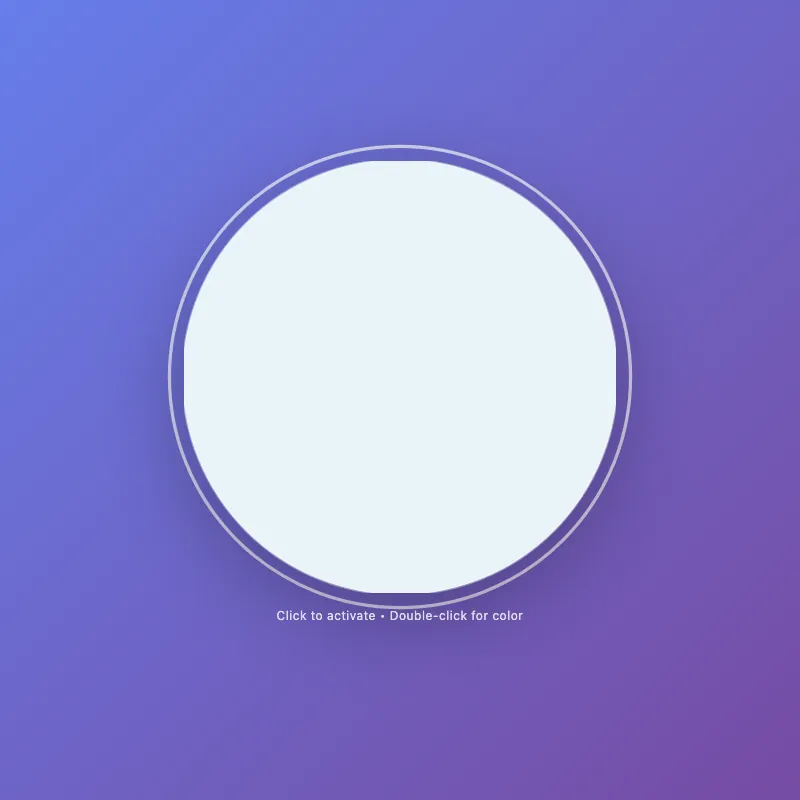
offline render, Chrome 154, light scheme, 2 s of virtual time
runs in a sandboxed frame with no origin; live pages may fetch CDN fonts the offline render did not
<!DOCTYPE html>
<html lang="en">
<head>
  <meta charset="UTF-8">
  <meta name="viewport" content="width=device-width, initial-scale=1.0">
  <title>Circle Display</title>
  <style>
    * {
      margin: 0;
      padding: 0;
      box-sizing: border-box;
    }
    html, body {
      width: 100%;
      height: 100%;
      overflow: hidden;
    }
    body {
      display: flex;
      flex-direction: column;
      justify-content: center;
      align-items: center;
      gap: 20px;
      background: linear-gradient(135deg, #667eea 0%, #764ba2 100%);
      font-family: -apple-system, BlinkMacSystemFont, "Segoe UI", Roboto, sans-serif;
      color: white;
      font-size: 14px;
      text-align: center;
    }
    .circle-container {
      cursor: pointer;
      transition: transform 0.3s ease;
      border: none;
      background: none;
      padding: 0;
    }
    .circle-container:hover,
    .circle-container:focus {
      transform: scale(1.08);
      outline: none;
    }
    .circle-container:focus-visible {
      outline: 3px solid rgba(255, 255, 255, 0.7);
      outline-offset: 12px;
      border-radius: 50%;
    }
    svg {
      width: min(400px, 80vw);
      height: min(400px, 80vw);
      filter: drop-shadow(0 20px 40px rgba(0, 0, 0, 0.3));
      display: block;
      transition: filter 0.3s ease;
    }
    circle {
      fill: #ffffff;
      stroke: rgba(255, 255, 255, 0.2);
      stroke-width: 2;
      transition: fill 0.3s ease, r 0.3s ease, stroke 0.3s ease;
      animation: pulse 3s ease-in-out infinite;
    }
    .circle-container:hover circle,
    .circle-container:focus circle {
      fill: #e8f4f8;
      r: 205;
      stroke: rgba(255, 255, 255, 0.4);
    }
    .circle-container.active circle {
      fill: #ffd700;
      animation: pulse-active 0.6s ease-in-out;
      stroke: rgba(255, 215, 0, 0.3);
    }
    .circle-container.active:hover circle {
      fill: #ffed4e;
    }
    .circle-container.active svg {
      filter: drop-shadow(0 20px 40px rgba(255, 215, 0, 0.5));
    }
    .circle-container.color-mode-1 circle {
      fill: #ff6b9d;
    }
    .circle-container.color-mode-1.active svg {
      filter: drop-shadow(0 20px 40px rgba(255, 107, 157, 0.5));
    }
    .circle-container.color-mode-2 circle {
      fill: #4ecdc4;
    }
    .circle-container.color-mode-2.active svg {
      filter: drop-shadow(0 20px 40px rgba(78, 205, 196, 0.5));
    }
    .circle-container.color-mode-3 circle {
      fill: #95e1d3;
    }
    .circle-container.color-mode-3.active svg {
      filter: drop-shadow(0 20px 40px rgba(149, 225, 211, 0.5));
    }
    .hint {
      font-size: 12px;
      opacity: 0.8;
      transition: opacity 0.3s ease;
      letter-spacing: 0.5px;
    }
    .hint.show-shortcuts {
      opacity: 1;
    }
    .circle-container:hover ~ .hint,
    .circle-container:focus ~ .hint {
      opacity: 1;
    }
    .mode-indicator {
      font-size: 10px;
      opacity: 0.6;
      margin-top: 8px;
      letter-spacing: 1px;
      text-transform: uppercase;
      transition: opacity 0.3s ease;
    }
    .mode-indicator.visible {
      opacity: 1;
    }
    @keyframes pulse {
      0%, 100% { r: 200; }
      50% { r: 202; }
    }
    @keyframes pulse-active {
      0% { r: 200; }
      50% { r: 210; }
      100% { r: 200; }
    }
    @keyframes fadeIn {
      from { opacity: 0; transform: scale(0.9); }
      to { opacity: 1; transform: scale(1); }
    }
    .circle-container svg {
      animation: fadeIn 0.6s ease-out;
    }
  </style>
</head>
<body>
  <div style="text-align: center;">
    <button class="circle-container" id="decorative-circle" aria-label="Interactive circle - click to activate, double-click to change color, press space to toggle or C for color">
      <svg viewBox="0 0 400 400" role="presentation">
        <circle cx="200" cy="200" r="200"/>
      </svg>
    </button>
    <div class="mode-indicator" id="mode-indicator"></div>
  </div>
  <div class="hint" id="hint-text">Click to activate • Double-click for color</div>

  <script>
    const STORAGE_KEY = 'circle-state';
    const COLOR_MODES = ['default', 'color-mode-1', 'color-mode-2', 'color-mode-3'];
    const COLORS = {
      default: 'Default White',
      'color-mode-1': 'Pink',
      'color-mode-2': 'Teal',
      'color-mode-3': 'Mint'
    };

    const circle = document.getElementById('decorative-circle');
    const hint = document.getElementById('hint-text');
    const modeIndicator = document.getElementById('mode-indicator');

    let state = {
      active: false,
      colorMode: 0
    };

    function saveState() {
      localStorage.setItem(STORAGE_KEY, JSON.stringify(state));
    }

    function loadState() {
      try {
        const saved = localStorage.getItem(STORAGE_KEY);
        if (saved) {
          state = JSON.parse(saved);
          applyState();
        }
      } catch (e) {
        console.warn('Failed to load saved state');
      }
    }

    function applyState() {
      circle.classList.remove('active', ...COLOR_MODES);
      if (state.active) {
        circle.classList.add('active');
      }
      if (state.colorMode > 0) {
        circle.classList.add(COLOR_MODES[state.colorMode]);
      }
      updateUI();
    }

    function toggleActive() {
      state.active = !state.active;
      applyState();
      saveState();
    }

    function cycleColor() {
      state.colorMode = (state.colorMode + 1) % COLOR_MODES.length;
      state.active = true;
      applyState();
      saveState();
    }

    function resetState() {
      state = { active: false, colorMode: 0 };
      applyState();
      saveState();
    }

    function updateHint() {
      if (state.active) {
        hint.textContent = 'Active! • Double-click or press C for color • Press R to reset';
      } else {
        hint.textContent = 'Click to activate • Double-click to change color';
      }
    }

    function updateModeIndicator() {
      if (state.active && state.colorMode > 0) {
        modeIndicator.textContent = COLORS[COLOR_MODES[state.colorMode]];
        modeIndicator.classList.add('visible');
      } else {
        modeIndicator.classList.remove('visible');
      }
    }

    function updateUI() {
      updateHint();
      updateModeIndicator();
    }

    circle.addEventListener('click', toggleActive);

    circle.addEventListener('dblclick', (e) => {
      e.preventDefault();
      cycleColor();
    });

    circle.addEventListener('keydown', (e) => {
      if (e.key === ' ' || e.key === 'Enter') {
        e.preventDefault();
        toggleActive();
      } else if (e.key === 'c' || e.key === 'C') {
        e.preventDefault();
        cycleColor();
      } else if (e.key === 'r' || e.key === 'R') {
        e.preventDefault();
        resetState();
      }
    });

    circle.addEventListener('mouseenter', () => {
      hint.classList.add('show-shortcuts');
      if (!state.active) {
        hint.textContent = 'Click to activate • Double-click for color • C: color • R: reset';
      }
    });

    circle.addEventListener('mouseleave', () => {
      hint.classList.remove('show-shortcuts');
      updateHint();
    });

    loadState();
    circle.focus();
  </script>
</body>
</html>
what changed from step 004
+112 / -46 lines
opacity: 0.8; transition: opacity 0.3s ease;+ letter-spacing: 0.5px; }+ .hint.show-shortcuts {+ opacity: 1;+ } .circle-container:hover ~ .hint, .circle-container:focus ~ .hint { opacity: 1; }+ .mode-indicator {+ font-size: 10px;+ opacity: 0.6;+ margin-top: 8px;+ letter-spacing: 1px;+ text-transform: uppercase;+ transition: opacity 0.3s ease;+ }+ .mode-indicator.visible {+ opacity: 1;+ } @keyframes pulse { 0%, 100% { r: 200; }⋯ line 137 </head> <body>- <button class="circle-container" id="decorative-circle" aria-label="Interactive circle - click to activate, double-click to change color, press space or enter">- <svg viewBox="0 0 400 400" role="presentation">- <circle cx="200" cy="200" r="200"/>- </svg>- </button>+ <div style="text-align: center;">+ <button class="circle-container" id="decorative-circle" aria-label="Interactive circle - click to activate, double-click to change color, press space to toggle or C for color">+ <svg viewBox="0 0 400 400" role="presentation">+ <circle cx="200" cy="200" r="200"/>+ </svg>+ </button>+ <div class="mode-indicator" id="mode-indicator"></div>+ </div> <div class="hint" id="hint-text">Click to activate • Double-click for color</div> <script>+ const STORAGE_KEY = 'circle-state';+ const COLOR_MODES = ['default', 'color-mode-1', 'color-mode-2', 'color-mode-3'];+ const COLORS = {+ default: 'Default White',+ 'color-mode-1': 'Pink',+ 'color-mode-2': 'Teal',+ 'color-mode-3': 'Mint'+ };+ const circle = document.getElementById('decorative-circle'); const hint = document.getElementById('hint-text');- let colorMode = 0;- let lastClickTime = 0;+ const modeIndicator = document.getElementById('mode-indicator'); - circle.addEventListener('click', (e) => {- const now = Date.now();- const isDoubleClick = now - lastClickTime < 300;- lastClickTime = now;+ let state = {+ active: false,+ colorMode: 0+ }; - if (isDoubleClick) {- e.preventDefault();- cycleColor();+ function saveState() {+ localStorage.setItem(STORAGE_KEY, JSON.stringify(state));+ }+ + function loadState() {+ try {+ const saved = localStorage.getItem(STORAGE_KEY);+ if (saved) {+ state = JSON.parse(saved);+ applyState();+ }+ } catch (e) {+ console.warn('Failed to load saved state');+ }+ }+ + function applyState() {+ circle.classList.remove('active', ...COLOR_MODES);+ if (state.active) {+ circle.classList.add('active');+ }+ if (state.colorMode > 0) {+ circle.classList.add(COLOR_MODES[state.colorMode]);+ }+ updateUI();+ }+ + function toggleActive() {+ state.active = !state.active;+ applyState();+ saveState();+ }+ + function cycleColor() {+ state.colorMode = (state.colorMode + 1) % COLOR_MODES.length;+ state.active = true;+ applyState();+ saveState();+ }+ + function resetState() {+ state = { active: false, colorMode: 0 };+ applyState();+ saveState();+ }+ + function updateHint() {+ if (state.active) {+ hint.textContent = 'Active! • Double-click or press C for color • Press R to reset'; } else {- circle.classList.toggle('active');- updateHint();+ hint.textContent = 'Click to activate • Double-click to change color'; }- });+ } + function updateModeIndicator() {+ if (state.active && state.colorMode > 0) {+ modeIndicator.textContent = COLORS[COLOR_MODES[state.colorMode]];+ modeIndicator.classList.add('visible');+ } else {+ modeIndicator.classList.remove('visible');+ }+ }+ + function updateUI() {+ updateHint();+ updateModeIndicator();+ }+ + circle.addEventListener('click', toggleActive);+ circle.addEventListener('dblclick', (e) => { e.preventDefault();+ cycleColor(); }); ⋯ line 244 if (e.key === ' ' || e.key === 'Enter') { e.preventDefault();- circle.classList.toggle('active');- updateHint();+ toggleActive(); } else if (e.key === 'c' || e.key === 'C') {+ e.preventDefault(); cycleColor(); } else if (e.key === 'r' || e.key === 'R') {+ e.preventDefault(); resetState(); } }); - function cycleColor() {- circle.classList.remove('color-mode-1', 'color-mode-2', 'color-mode-3');- colorMode = (colorMode + 1) % 4;- - if (colorMode > 0) {- circle.classList.add(`color-mode-${colorMode}`);- }- - circle.classList.add('active');- updateHint();- }- - function resetState() {- circle.classList.remove('active', 'color-mode-1', 'color-mode-2', 'color-mode-3');- colorMode = 0;- updateHint();- }- - function updateHint() {- if (circle.classList.contains('active')) {- hint.textContent = 'Active! • Press R to reset • Press C to change color';- } else {- hint.textContent = 'Click to activate • Double-click for color';- }- }- circle.addEventListener('mouseenter', () => {- if (hint.textContent.includes('Click to activate')) {+ hint.classList.add('show-shortcuts');+ if (!state.active) { hint.textContent = 'Click to activate • Double-click for color • C: color • R: reset'; }⋯ line 262 circle.addEventListener('mouseleave', () => {+ hint.classList.remove('show-shortcuts'); updateHint(); }); + loadState(); circle.focus(); </script>
What the model said
Perfect! I've improved the 0.html file with these enhancements:

**Key improvements:**
- **Proper double-click handling**: Now uses native `dblclick` event instead of manual timing
- **State persistence**: Uses localStorage to save active state and color mode across page reloads
- **Better code organization**: Constants for magic numbers and color mappings
- **Visual mode indicator**: Shows the current color name below the circle when active
- **Improved hints**: Dynamic hints that show all keyboard shortcuts on hover
- **Cleaner state management**: Single state object tracked through `applyState()` function
- **Better accessibility**: Updated aria-label with actual keyboard shortcuts

**Features preserved:**
- All interactive functionality (click to toggle, double-click or C to change color, R to reset)
- Smooth animations and transitions
- Beautiful gradient background and shadow effects
- Keyboard and mouse support

The circle now remembers its state when you refresh the page, has clearer visual feedback about which color is active, and the code is more maintainable with better separation of concerns.